When Should You Modernise Legacy Software? A Guide for Growing Businesses
Not every old system needs replacing. But when software starts limiting your business rather than supporting it, the question changes entirely.

When Should You Modernise Legacy Software? A Guide for Growing Businesses
Not every old system needs replacing. Some applications quietly run for years, support thousands of transactions and continue doing exactly what the business needs. Rebuilding them simply because newer technology exists can create cost and disruption without delivering much value.
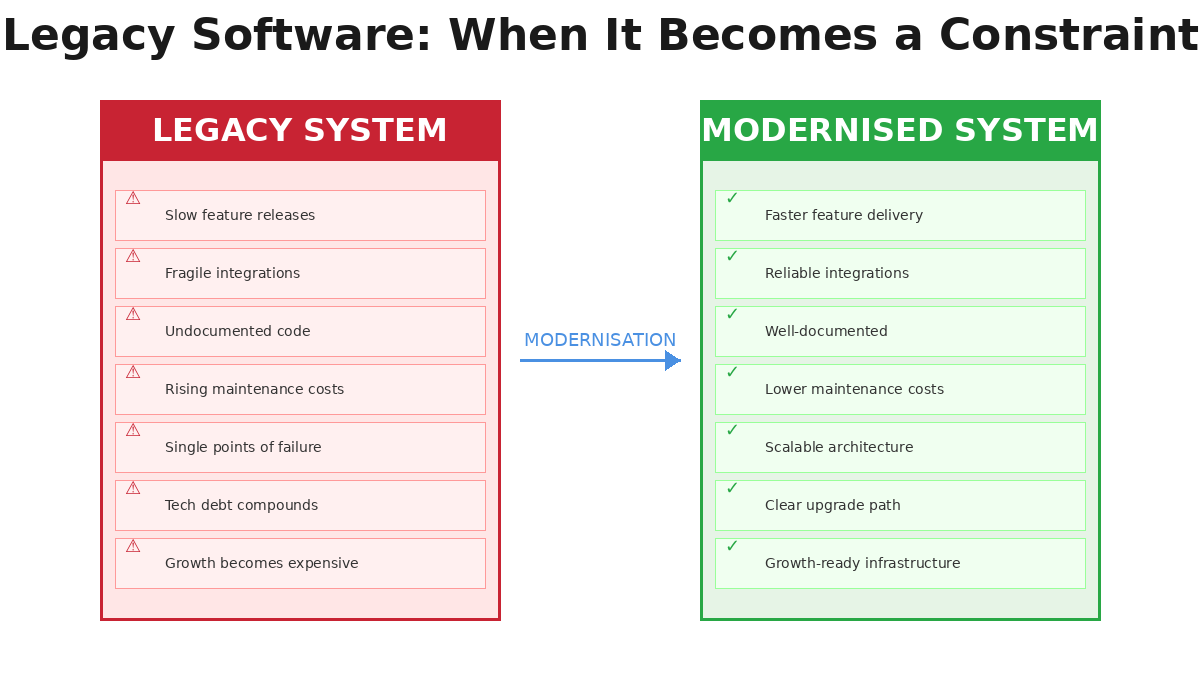
The problem starts when software stops supporting the business and begins limiting it. A feature that should take days starts taking weeks. Connecting a new platform becomes an engineering project of its own. A small update creates problems somewhere completely unexpected. Only one developer understands an important part of the system, and nobody wants to touch certain sections because they are afraid something will break.
At that point, the question is no longer whether the software is old. The real question is whether your business has outgrown it.
Legacy Software Is a Business Problem Before It Is a Technology Problem
The term "legacy system" often makes people think about outdated programming languages or old servers. In practice, software becomes a legacy problem when it creates friction between where the business is today and where it wants to go next.
A ten-year-old application that remains secure, maintainable and easy to extend may still be perfectly valuable. A three-year-old platform built quickly during a startup's early growth can become a serious constraint if every new feature requires another workaround.
This distinction matters because software modernisation should not begin with a technology trend. It should begin with business impact.
Signs the existing architecture may be consuming resources that should be going into growth:
- Product releases are slowing down
- Operational teams are building manual processes around system limitations
- Integrations are becoming increasingly fragile
- Support costs continue rising
Rebuilding Everything Is Not Always the Answer
When a platform becomes difficult to maintain, a complete rewrite can sound attractive. Start again, choose a modern stack and remove years of accumulated complexity.
In reality, a full rebuild can introduce an entirely different type of risk. Older business software often contains years of hidden knowledge — pricing rules, customer exceptions, internal workflows and edge cases that may exist inside the application without being documented anywhere else. Replacing the whole platform at once can mean rediscovering those rules only after something important stops working.
Modernisation can therefore be more valuable than replacement:
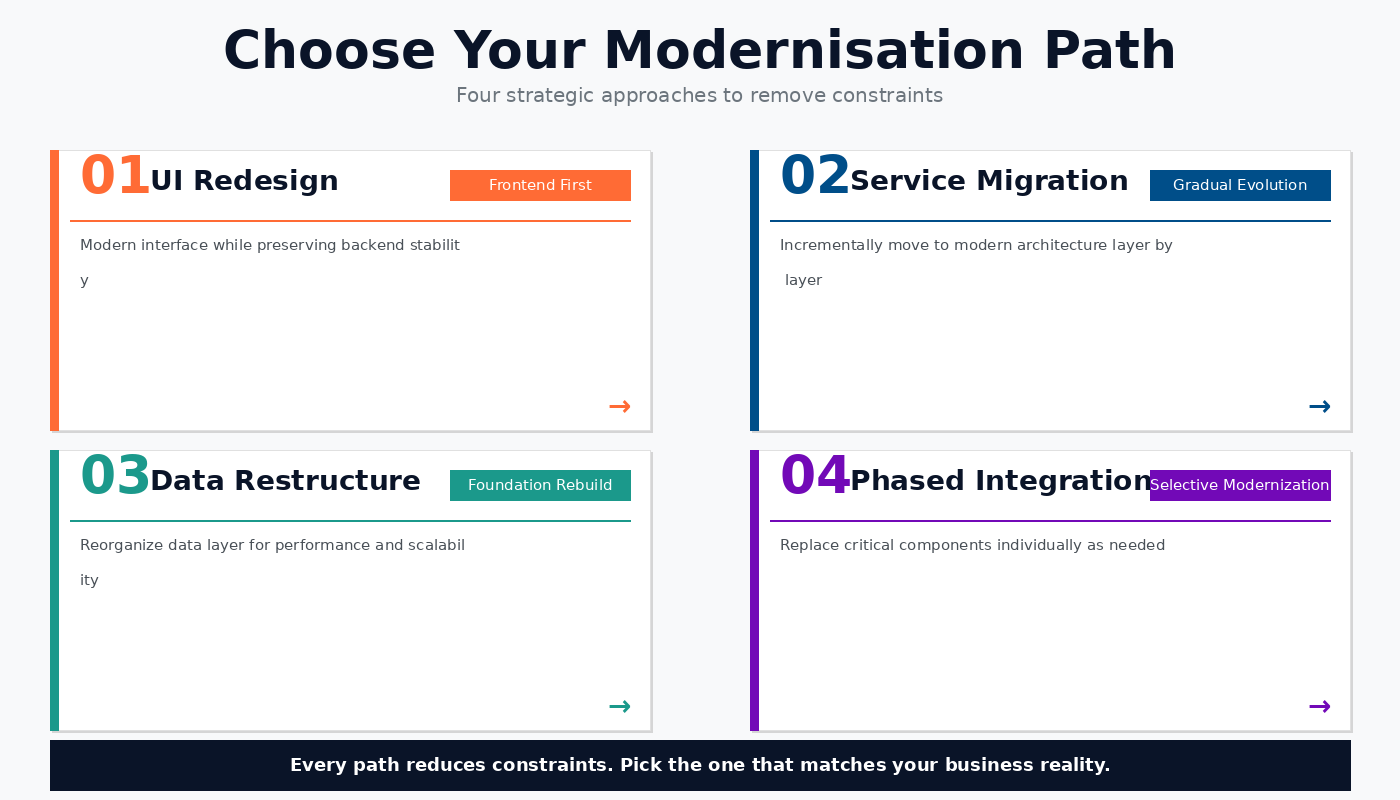
- UI Redesign (Frontend First) — modernise the interface while keeping reliable backend logic
- Service Migration (Gradual Evolution) — incrementally move to modern architecture layer by layer
- Data Restructure (Foundation Rebuild) — reorganise the data layer for performance and scalability
- Phased Integration (Selective Modernisation) — replace critical components individually as needed
The right approach is the one that removes the constraint without creating unnecessary business disruption.
The Real Warning Sign Is the Cost of Change
One of the clearest ways to judge an ageing platform is to look at what happens when the business asks for something new.
Imagine the commercial team wants a new customer portal. The feature itself is straightforward, but the development team first needs to:
- Modify an old authentication system
- Work around an undocumented database structure
- Repair an API that was never designed for external access
Suddenly, a reasonable business request becomes a major technical project. This is where legacy software becomes expensive even when it technically "still works."
The cost is not just maintenance. It appears in:
- Slower launches
- Missed opportunities
- Longer development cycles
- Teams spending more time protecting the existing system than improving the product
For growing companies, that opportunity cost can become more important than the direct cost of modernisation.
Modern Software Should Make Future Change Easier
A successful modernisation project should not simply make an application look newer. The more important outcome is making the system easier to operate, extend and understand.
That can mean:
- Separating tightly connected components
- Improving APIs
- Restructuring data
- Adding automated testing
- Introducing reliable deployment pipelines
- Documenting architecture
- Improving monitoring
- Redesigning parts of the interface where user experience has not kept pace
The objective should be straightforward: after modernisation, the next business requirement should be easier to deliver than the last one.
Do Not Wait Until the System Forces the Decision
The worst time to begin thinking about software modernisation is immediately after a critical failure. When an important platform goes down, a security issue appears or an unsupported dependency suddenly becomes urgent, the business loses the luxury of making a measured decision. Modernisation becomes emergency work.
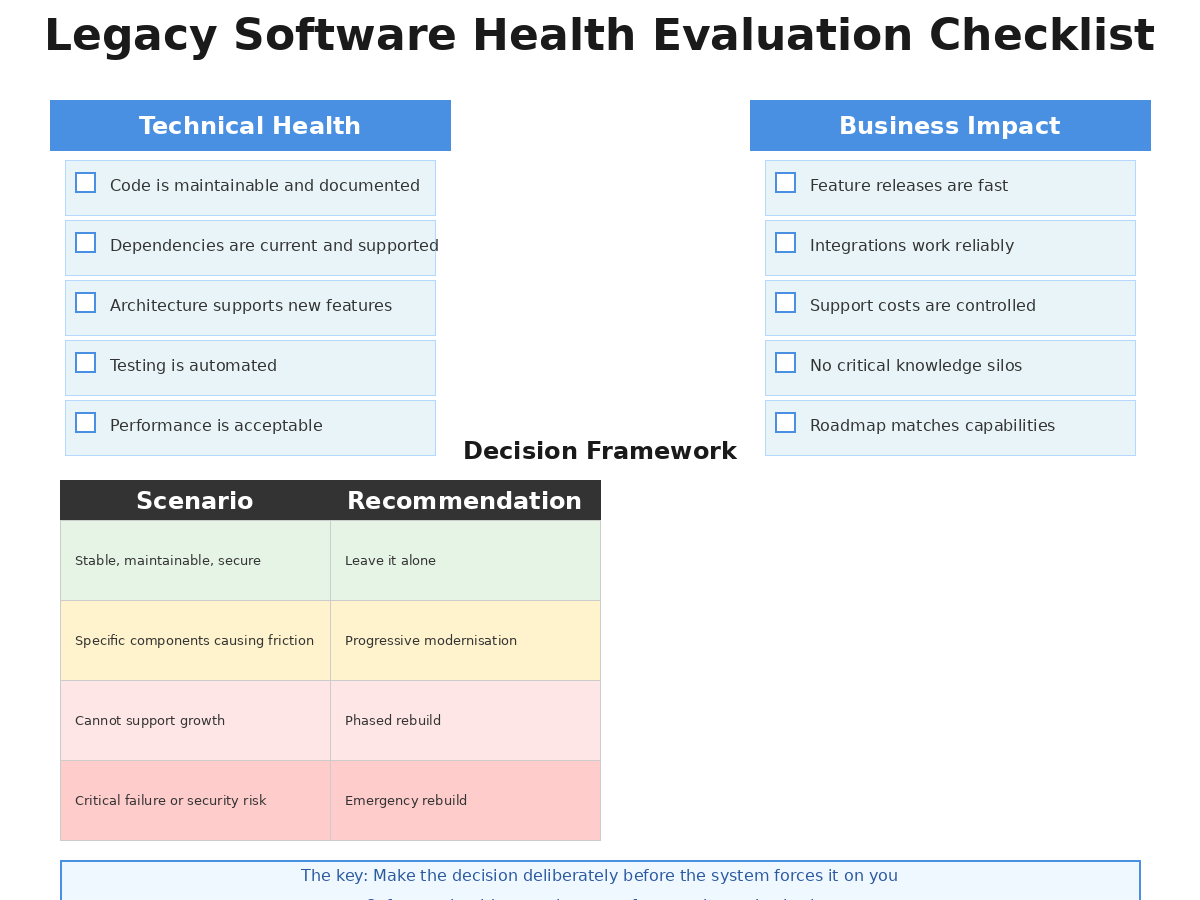
A healthier approach is to evaluate the platform while it is still functioning. Ask:
- How expensive have changes become?
- Can the technology still be supported confidently?
- How dependent is the business on individual developers?
- Are integrations still reliable?
- Can the architecture support the next stage of growth?
Software should create leverage for a growing company. When it begins creating hesitation instead, it may be time to change the foundation.
Modernise for the Business You Are Becoming
Legacy software does not need to be embarrassing, and replacing it should never become a vanity project. Many older systems contain valuable business logic and years of operational knowledge. The goal is not to erase that investment. It is to preserve what still works while removing the parts that prevent the business from moving forward.
The decision depends on the situation:
| Scenario | Recommended Approach |
|---|---|
| System is stable, maintainable, secure | Leave it alone |
| Specific components are causing friction | Progressive modernisation |
| Architecture cannot support growth | Phased rebuild |
| Critical failure or security risk | Emergency rebuild |
The important part is making that decision deliberately rather than waiting for the system to make it for you.